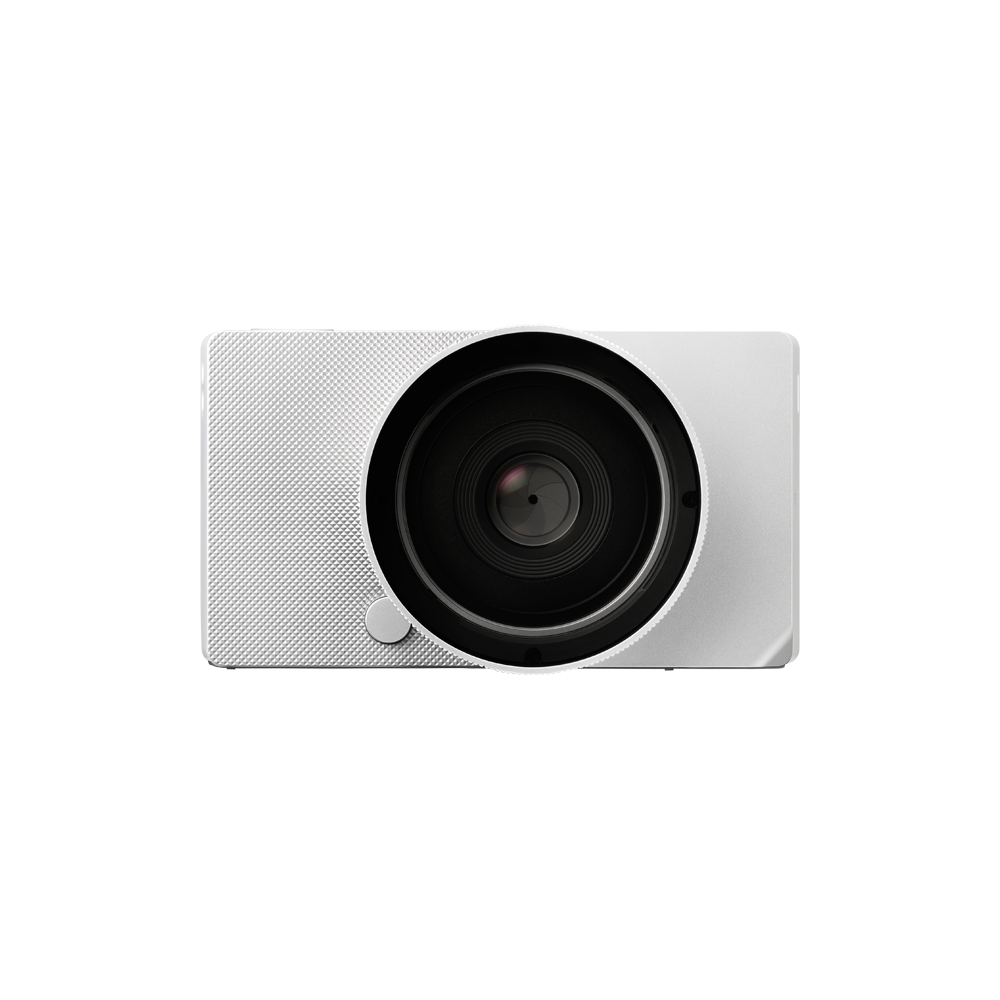
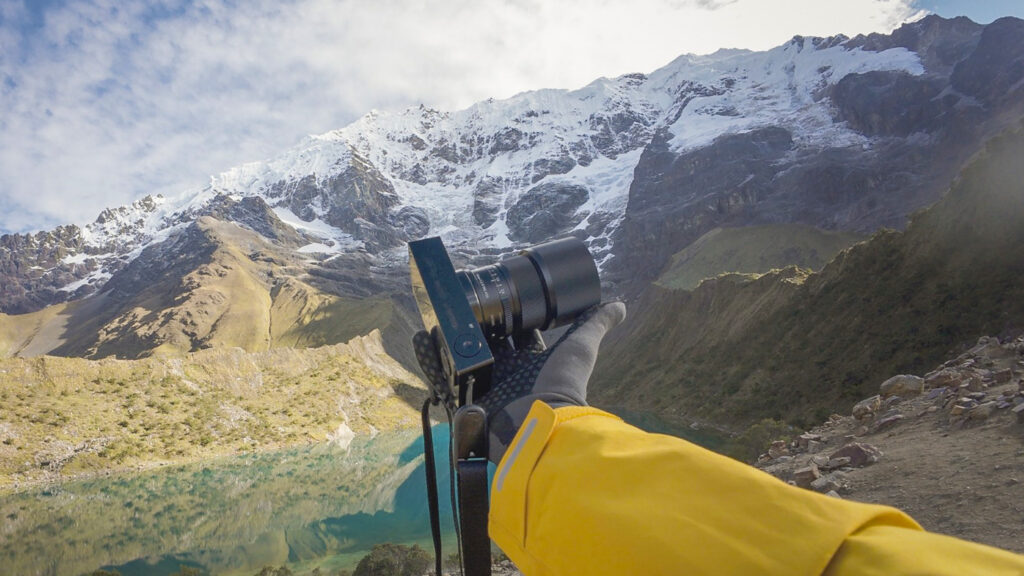
You’d be hard pressed to pull someone off the street in today’s tech-soaked climate who wouldn’t in some form or fashion understand the basic operation of a digital camera: power on, focus, press the shutter. There’s a massive degree of hyperbole here, but these are the elementary ABCs of making a photograph.
…stay with me here.
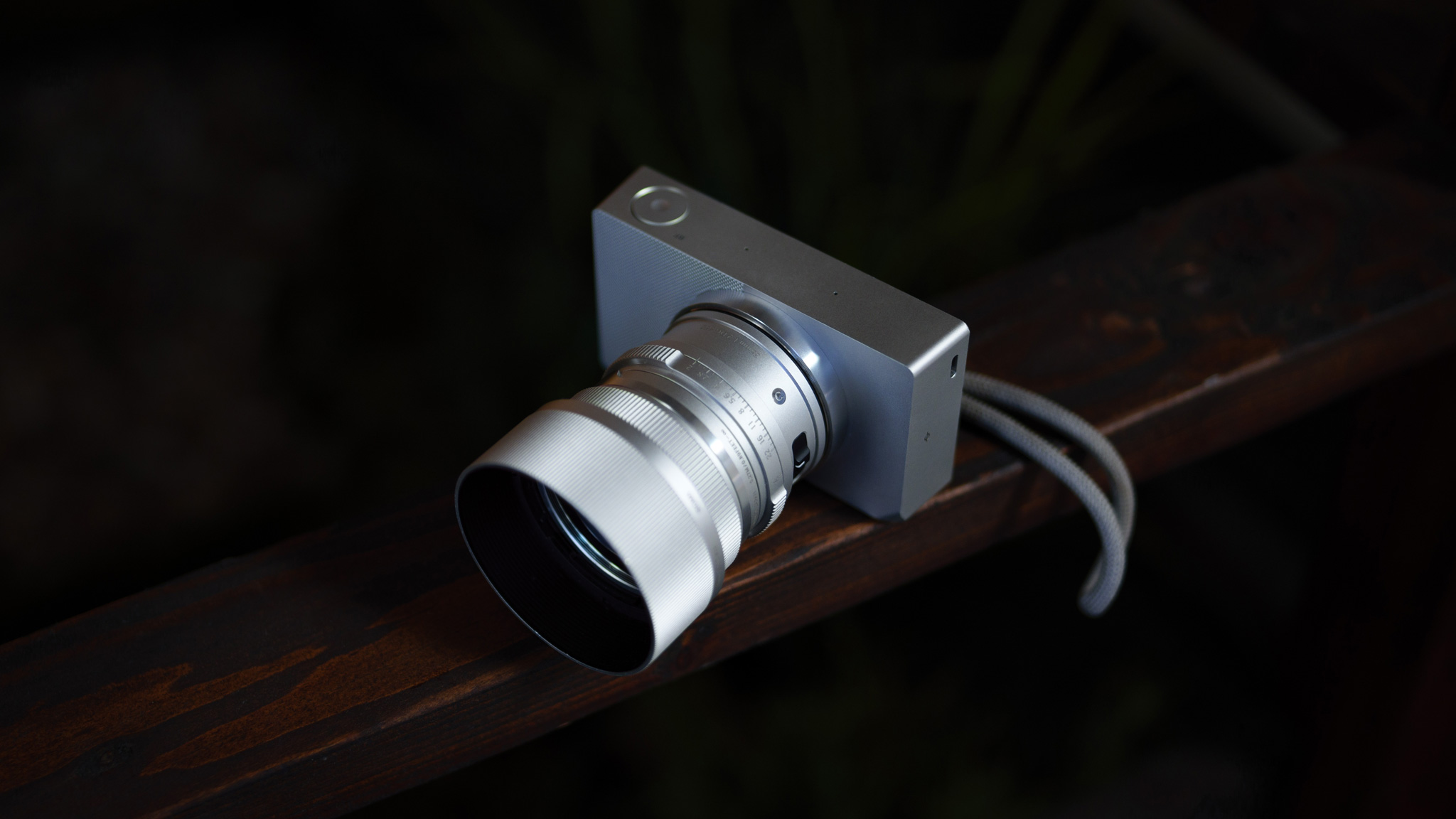
The Sigma BF was engineered with that approach in mind: how can we make a effortlessly powerful image-making system that is also the simplest to use? A camera so considered that even Dieter Rams would admire its restraint. “Radical Simplicity” is our “effortless,” and once the user understands the BF’s minimalist UI/UX, using the camera to create feels like exploring a brand-new frontier.
However, with simplicity can come a degree of ambiguity, so before you read any further, we’d invite you to first get familiar with the Sigma BF’s basic operations, and check out the below diagram of the controls.
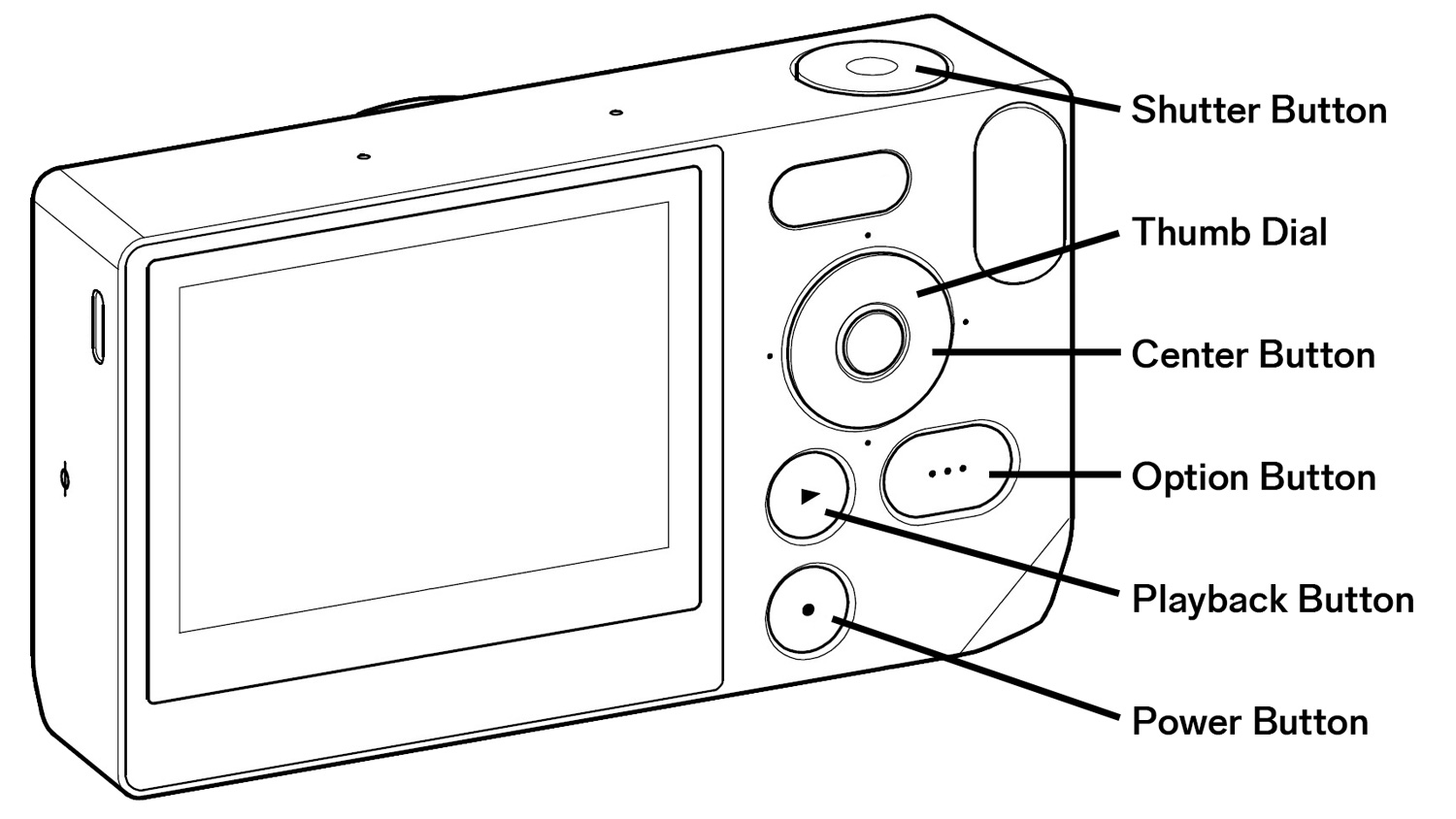
Once you’re done there (or if you already know your way around the BF), see below to take an even closer look at what we consider the top 5 “hidden” features of the Sigma BF, so your experience becomes even more intuitive and rewarding.
1) Super-Easy Exposure Compensation Control
Button Operation:
Depress shutter button halfway → rotate thumb dial clockwise/counterclockwise
Auto mode on the Sigma BF can certainly mean completely automatic if you so choose, but the BF also allows for on-the-fly exposure adjustments by simply depressing the shutter button halfway, no matter what photo setting is currently active on the screen.
For example, with any or all exposure settings (shutter speed, aperture, or ISO) switched to auto mode, simply depressing the shutter button halfway to engage autofocus allows access to exposure compensation automatically via the thumb dial. No need to look away to navigate to a specific exposure control setting, or search for a separate button.
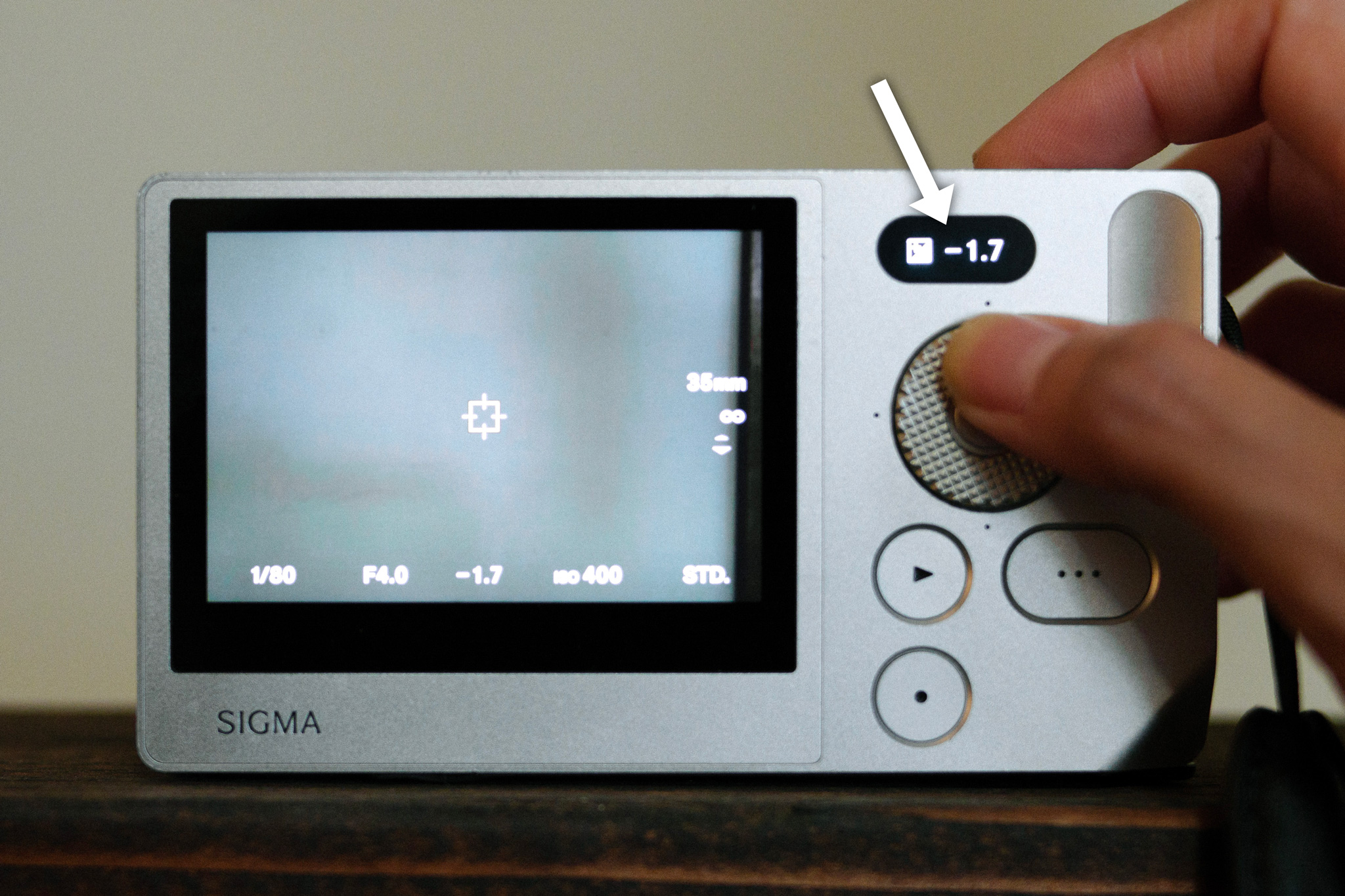
This relatively unknown Sigma BF feature saves time and preserves focus, allowing for quick exposure adjustments in the milliseconds before taking a photograph the user may otherwise miss by having to adjust exposure the traditional way.
2) Color Mode Fine-Tuned Controls
Button Operation:
Thumb dial left/right to navigate to color mode → press center button → dial left/right to navigate → rotate dial clockwise/counterclockwise to change
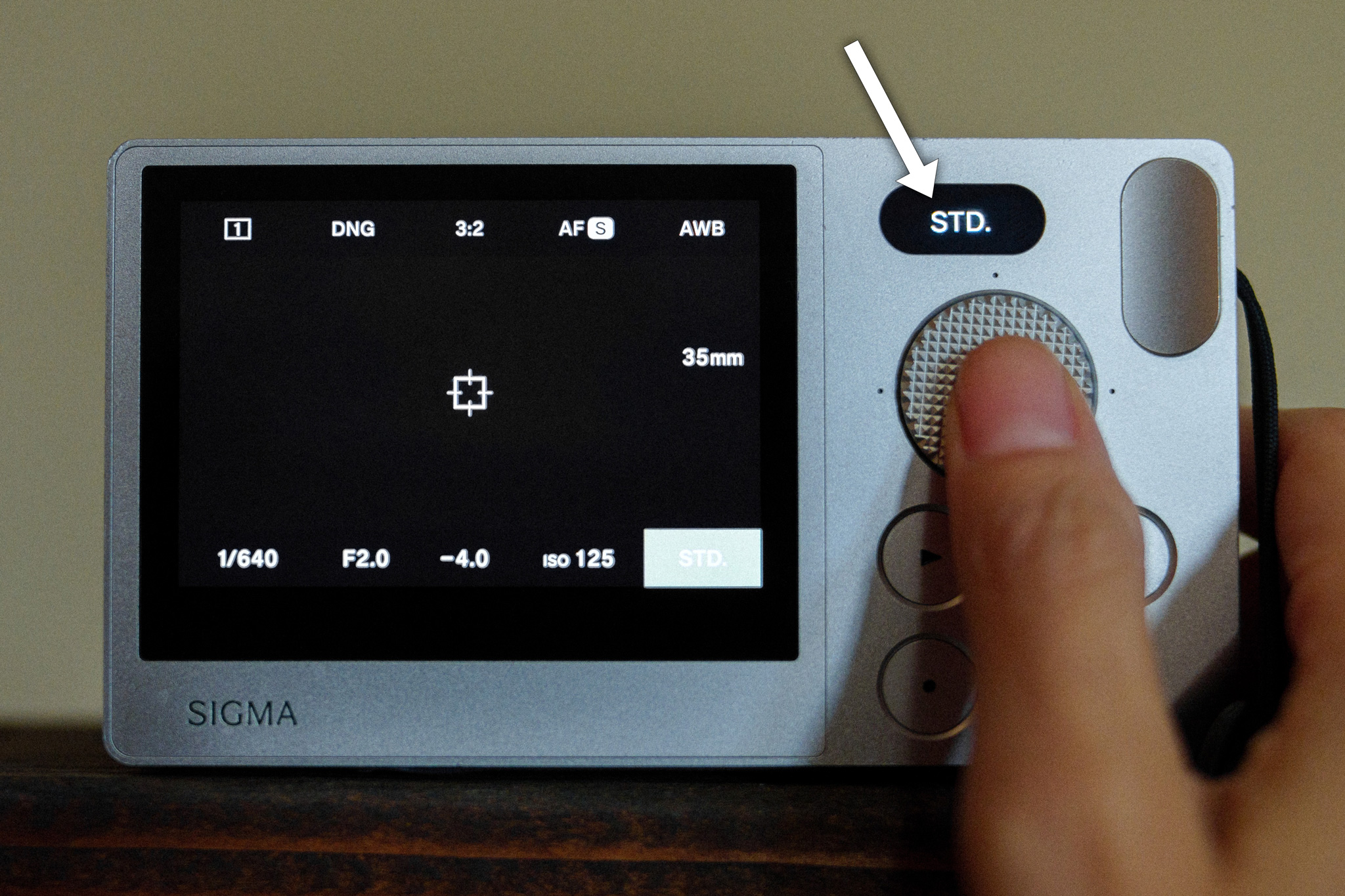
Carried over from the earlier Sigma fp and fp L cameras, the BF also integrates useful color modes like RICH, CALM, MONO, TEAL & ORANGE, and more. Users can easily cycle through the modes using the thumb dial.
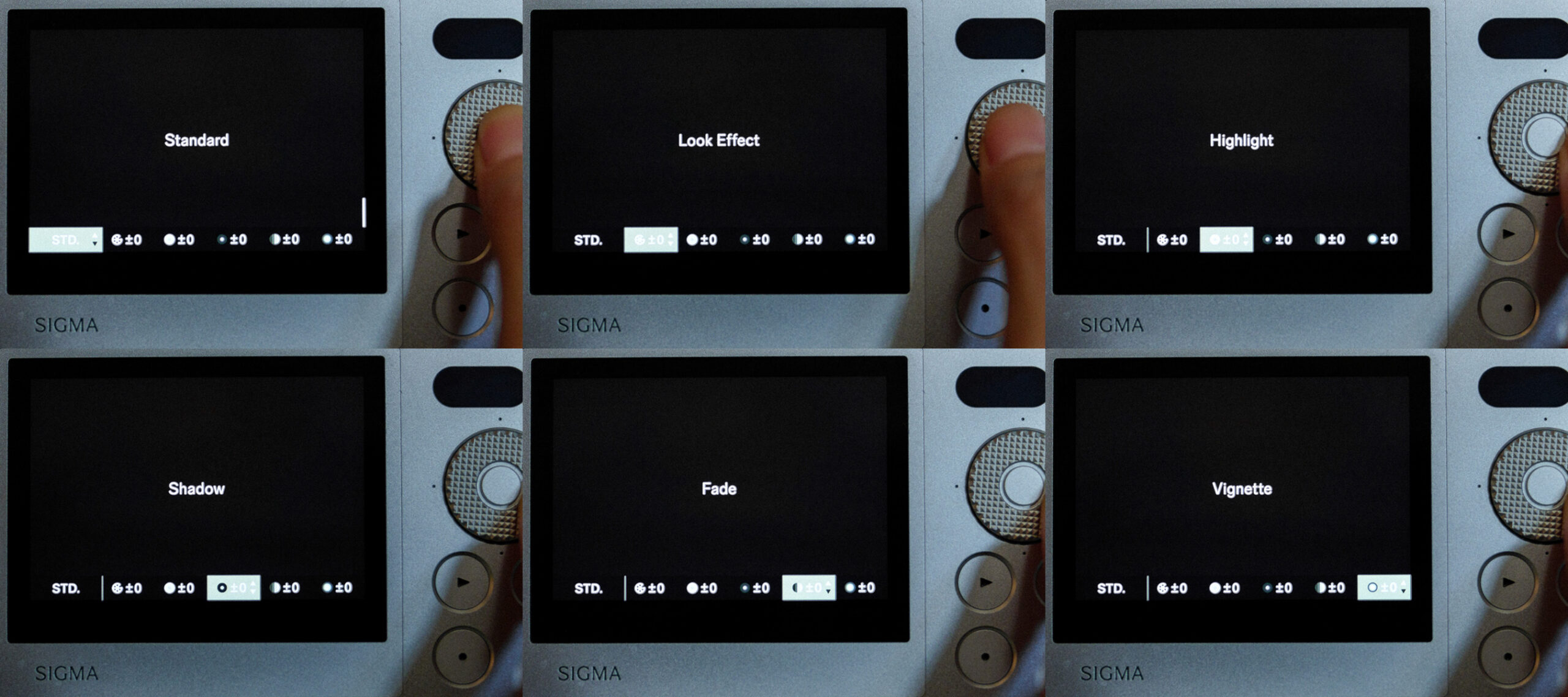
Once a color mode is selected, another one of the Sigma BF’s best under-the-radar features reveals itself: pressing the center button brings up that color mode’s fine-tuned controls, including look effect (look intensity), highlight control, shadow control, fade (contrast), and vignette. These additional controls let you fine-tune the look for maximum creative control.
3) Pressure-Sensitive Thumb Dial
Button Operation:
Review button → hold thumb dial left/right → add pressure or release pressure
The Sigma BF‘s knurled thumb dial is the nucleus of the camera’s UI. It’s what you use to navigate the camera’s many functions, whether by pressing left, right, up, down, or rotating clockwise and counterclockwise.
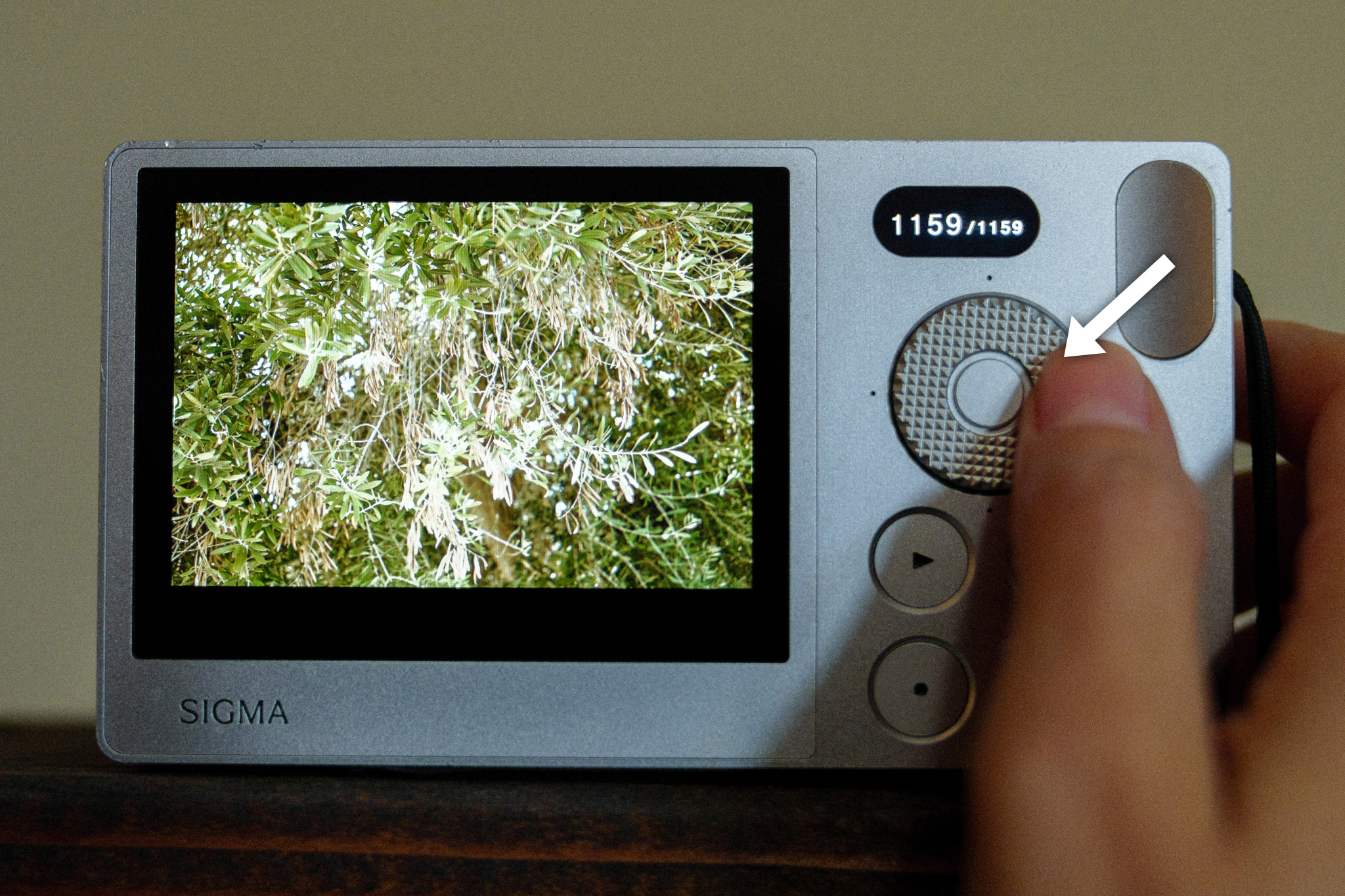
When it comes to reviewing images, that experience is intuitive: press left or right to cycle through images stored on the BF’s internal 230GB hard drive, or rotate the wheel clockwise or counterclockwise for the same effect.
The easter egg here is pressure… holding the button to the left or right cycles through images fairly quickly, but pressing harder ramps up the speed, letting you cycle through dozens or even hundreds of images in mere seconds to quickly navigate the entire drive. Ease off the pressure, and the speed ramps back down.
4) Touch-Sensitive Buttons
Button Operation:
Rest finger on playback button (do not press)
Did you know the Sigma BF uses touch-sensitive buttons in addition to its touchscreen?
This is another under-the-radar feature for image review, but one that’s extremely useful in fast-paced shooting situations, such as street photography.
A full, normal press of the playback button takes you directly to the image thumbnails for review. But if you just want to see the last image you shot, simply rest your thumb on the playback button. Once you remove your thumb, the camera will go right back to shooting mode.
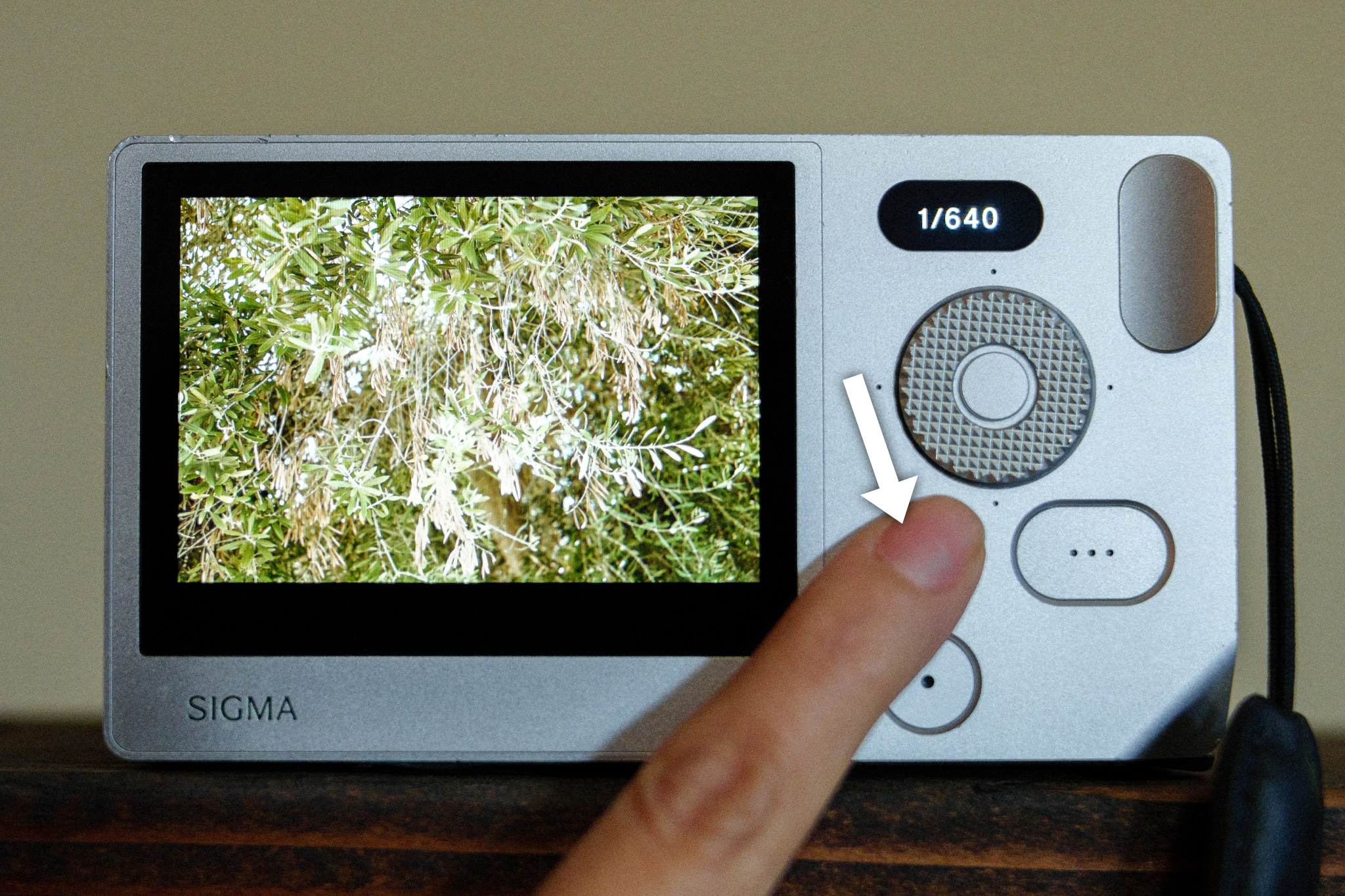
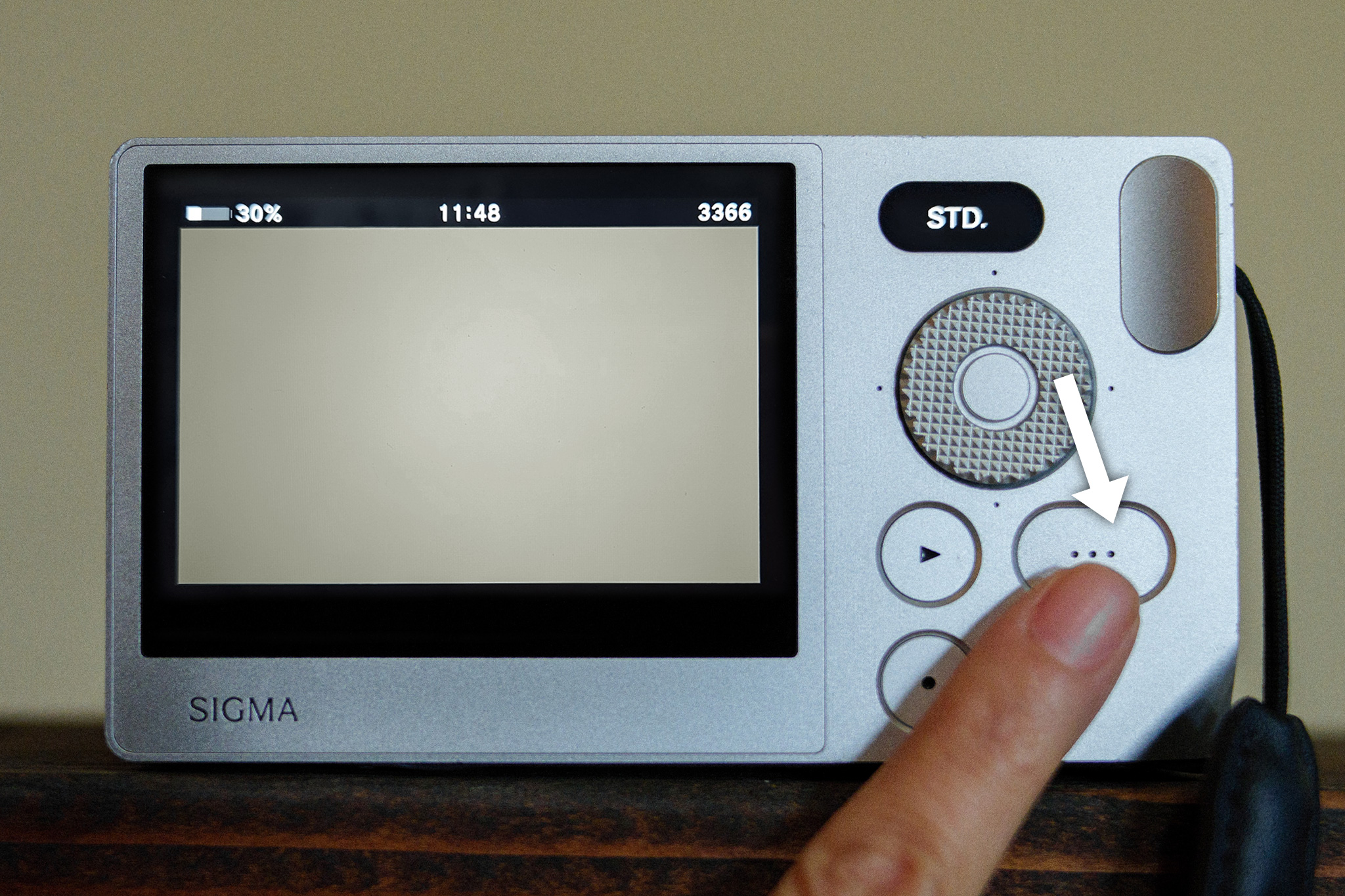
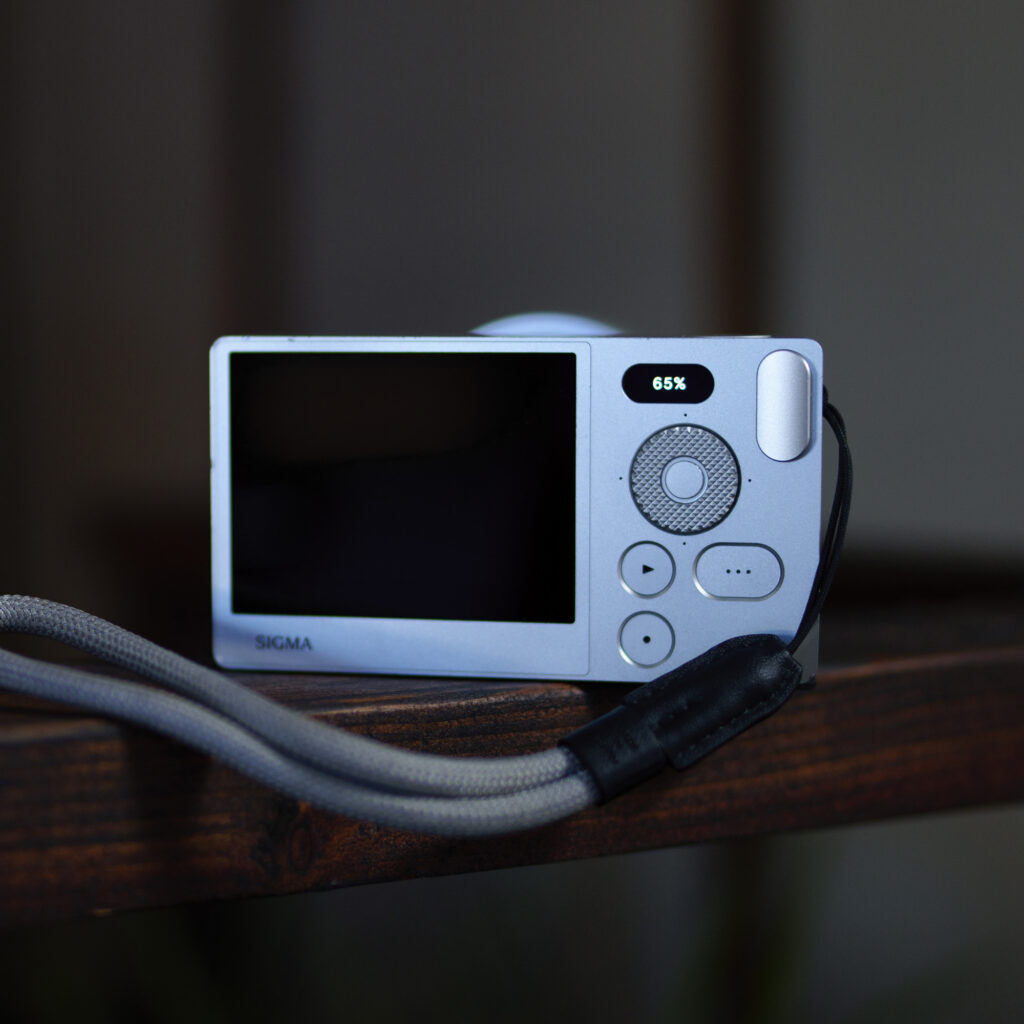
This function works with the option button (the three dots) as well – just rest your thumb on the button, and the display will show battery life, the current time, and remaining number of photos that will fit on the camera’s drive, at the top of the screen.
5) In-Camera DNG Development (aka In-Camera RAW Editor)
Button Operation:
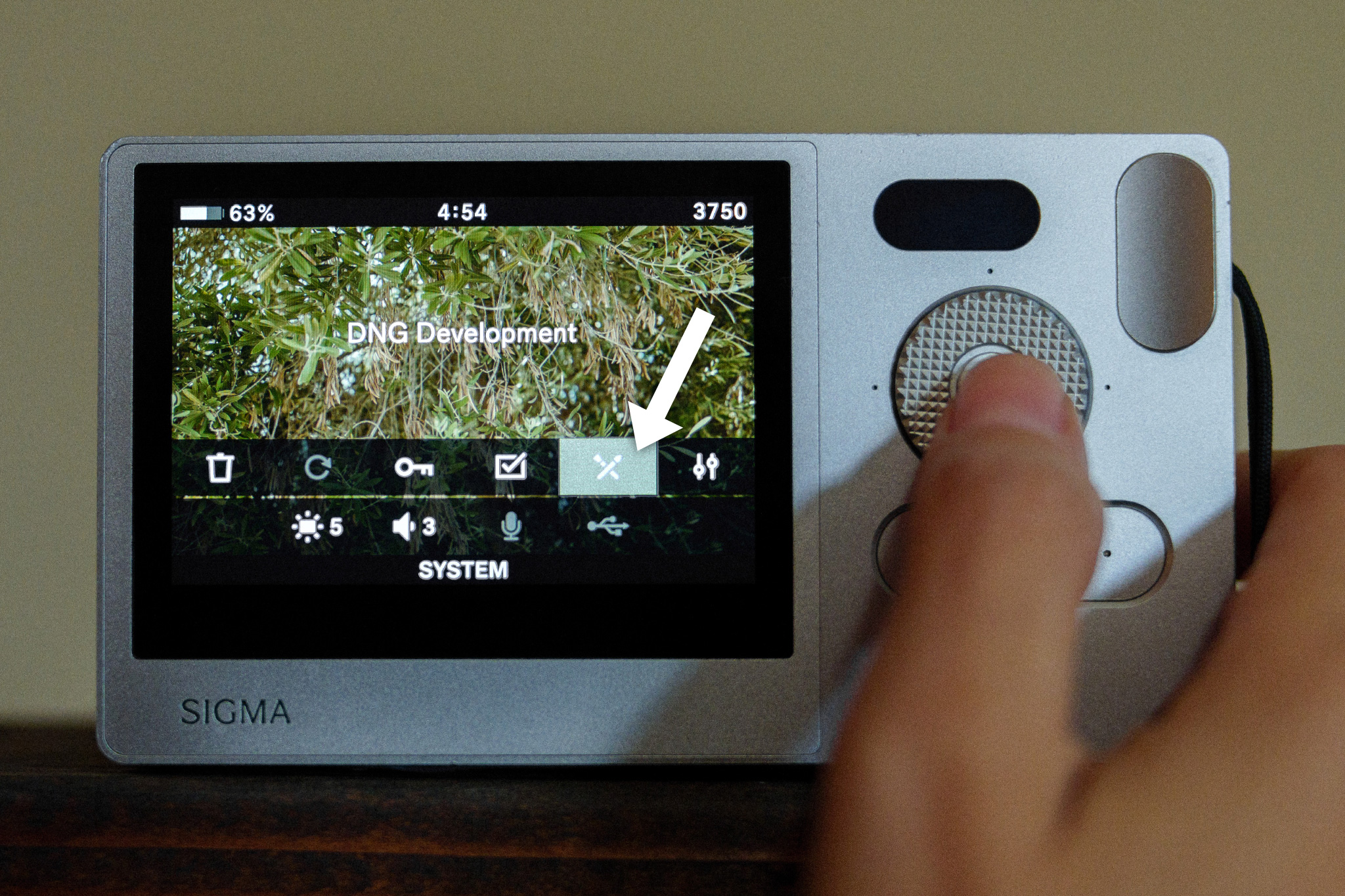
Press playback button → press option button → press thumb dial (right) 4x times to DNG Development → press center button (twice to confirm) → navigate left/right and rotate clockwise and counterclockwise to change settings
When shooting in DNG mode (RAW image files), the Sigma BF user can select “DNG Development” to make post adjustments in-camera, without needing a laptop or desktop-based editor like Adobe Lightroom or Camera Raw, Capture One, etc.
To access the DNG Development window, first press the playback button, then press the option button on the back of the camera. This reveals a few choices; the fifth option, marked by two paintbrushes crossed in an “X,” is DNG Development. Press the center button to select, then press it again to confirm.
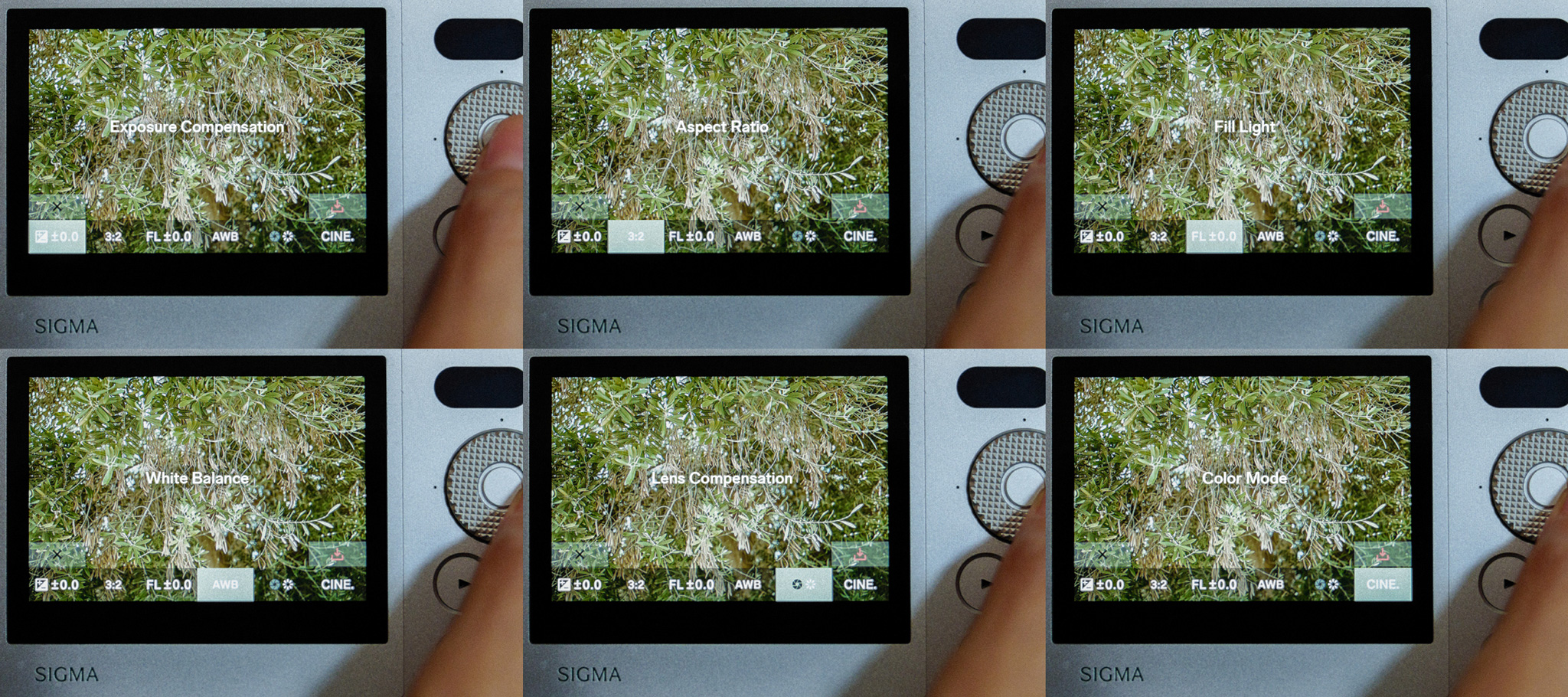
Your DNG editing options include exposure compensation, aspect ratio, fill light (plus or minus), white balance mode, lens compensation (distortion control), and BF color mode.
For BF users who need only a few adjustments to their RAW file, would rather skip a computer-based photo editor, or need quick edits for on-the-fly sharing, DNG Development is one of the most slept-on, yet powerful Sigma BF features.
Final Thoughts
“Radical Simplicity” isn’t about doing less, or having less at your fingertips, it’s about a system so intuitive that its depth reveals itself only once you’ve spent real time behind the camera. These under-the-radar features of the Sigma BF only begin to scratch the surface of what’s packed into the BF’s aluminum shell, but they are a great starting point for shooters ready to move past the basics to unlock even more creative control.
The Sigma BF camera invites the curious, so keep exploring and you may find even more handy features that make using the BF such a joy!
Discover and enjoy the Sigma BF camera for yourself